System-Design-Tutorial
Section 3: Networking Basics
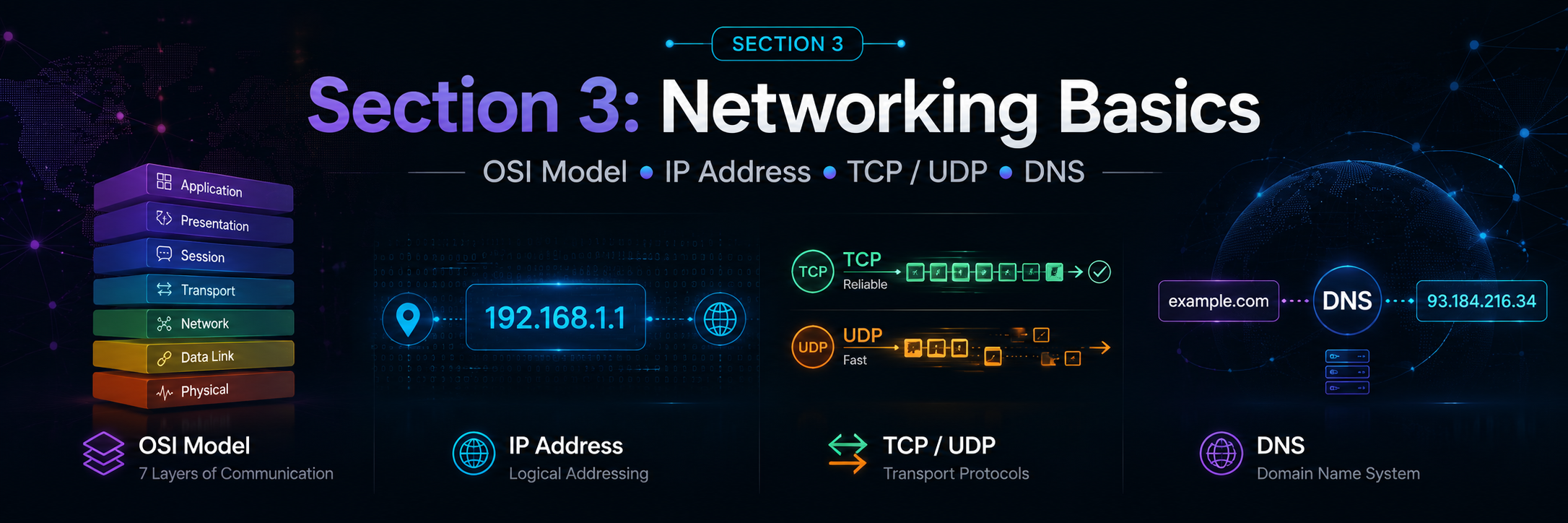
সিস্টেম ডিজাইন শেখার সময় Networking Basics খুব গুরুত্বপূর্ণ। কারণ আমরা যখন একটি scalable application design করি, তখন client কীভাবে server-এ request পাঠায়, DNS কীভাবে domain name resolve করে, IP address কীভাবে destination খুঁজে পায়, TCP/UDP কীভাবে data transport করে—এসব না বুঝলে load balancer, CDN, reverse proxy, API gateway, microservice communication, timeout, latency, retry, connection pooling—এসব concept গভীরভাবে বোঝা কঠিন হয়ে যায়।
এই section-এ আমরা ৪টি core networking topic বুঝবো:
- OSI Model
- IP Address
- TCP / UDP
- DNS
লক্ষ্য: খুব বেশি academic না হয়ে, System Design perspective থেকে concept, example, real-world use case এবং common misconception—সব একসাথে পরিষ্কারভাবে বোঝা।
Table of Contents
1. OSI Model
OSI Model কী?
OSI এর পূর্ণরূপ হলো Open Systems Interconnection। এটি একটি conceptual বা theoretical model, যা বুঝায় network communication কীভাবে ধাপে ধাপে ঘটে।
এই model টি ISO (International Organization for Standardization) দ্বারা তৈরি করা হয়েছিল। OSI Model সরাসরি কোনো software বা hardware নয়। বরং এটি একটি reference model—যার সাহায্যে আমরা বুঝতে পারি networking system-এর বিভিন্ন কাজ কোন layer-এ হয়।
সহজভাবে বললে:
OSI Model হলো এমন একটি guideline, যা বলে দেয় একটি computer থেকে আরেকটি computer-এ data পাঠানোর সময় data কোন কোন ধাপ অতিক্রম করে।
যখন আমরা browser-এ google.com লিখি, তখন মনে হয় browser শুধু Google-এর page খুলে ফেললো। কিন্তু ভিতরে ভিতরে অনেক কাজ হয়:
- Domain name থেকে IP বের হয়
- Connection তৈরি হয়
- Data ছোট ছোট অংশে ভাগ হয়
- Packet destination-এ যায়
- Router/switch packet forward করে
- Receiver data reconstruct করে
- Browser page render করে
এই পুরো journey-কে logically বুঝানোর জন্যই OSI Model ব্যবহার করা হয়।
OSI Model কেন দরকার?
Networking সমস্যা debug করার সময় OSI Model অনেক কাজে লাগে।
ধরুন আপনার application server respond করছে না। সমস্যা কোথায়?
- Cable unplugged? → Physical Layer
- Switch/VLAN issue? → Data Link Layer
- IP routing problem? → Network Layer
- TCP port blocked? → Transport Layer
- TLS/encoding issue? → Presentation Layer
- HTTP/API issue? → Application Layer
System Design এবং Backend Engineering-এ OSI Model বুঝলে নিচের বিষয়গুলো পরিষ্কার হয়:
- Load Balancer কোন layer-এ কাজ করে?
- Router এবং Switch-এর পার্থক্য কী?
- HTTP এবং TCP এক জিনিস নয় কেন?
- IP address এবং MAC address আলাদা কেন?
- HTTPS secure হয় কীভাবে?
- Port number কেন লাগে?
- DNS request আসলে কোথায় fit করে?
Data Encapsulation কীভাবে হয়?
Sender যখন data পাঠায়, তখন data উপর থেকে নিচের দিকে যায়:
Application Layer
Presentation Layer
Session Layer
Transport Layer
Network Layer
Data Link Layer
Physical Layer
প্রতিটি layer data-র সাথে নিজের header বা control information যোগ করে। এই process-কে বলা হয় Encapsulation।
Receiver side-এ data নিচ থেকে উপরের দিকে যায় এবং প্রতিটি layer নিজের header remove করে। এটাকে বলা হয় Decapsulation।
flowchart TD
    A[Application Data] --> B[Transport Segment]
    B --> C[Network Packet]
    C --> D[Data Link Frame]
    D --> E[Physical Bits]
OSI Model-এ data unit বা PDU সাধারণত এভাবে দেখা হয়:
| Layer | Data Unit |
|---|---|
| Application / Presentation / Session | Data |
| Transport | Segment বা Datagram |
| Network | Packet |
| Data Link | Frame |
| Physical | Bits |
OSI Model-এর ৭টি Layer
OSI Model-এর ৭টি layer নিচে উপরের দিক থেকে সাজানো হলো:
7. Application
6. Presentation
5. Session
4. Transport
3. Network
2. Data Link
1. Physical
Layer 7: Application Layer
Application Layer হলো user-facing network service layer। এখানে end-user application সরাসরি network service ব্যবহার করে।
যেমন:
- Browser website load করে
- Email client mail পাঠায়
- FTP client file upload/download করে
- SSH দিয়ে remote server access করা হয়
এই layer-এ user application এবং network service-এর মধ্যে interface তৈরি হয়।
Application Layer-এর কাজ
- Web browsing support করা
- File transfer support করা
- Email communication support করা
- Remote login/access support করা
- Directory service support করা
- Network management support করা
- Application-to-application communication support করা
Common Protocols
| Protocol | Full Form | Use Case |
|---|---|---|
| HTTP | HyperText Transfer Protocol | Website/API request |
| HTTPS | HTTP Secure | Encrypted website/API request |
| FTP | File Transfer Protocol | File transfer |
| SMTP | Simple Mail Transfer Protocol | Email send |
| POP3 / IMAP | Post Office Protocol / Internet Message Access Protocol | Email receive/read |
| SSH | Secure Shell | Secure remote server access |
| Telnet | Telnet | Insecure remote access |
| DNS | Domain Name System | Domain name to IP resolution |
| DHCP | Dynamic Host Configuration Protocol | Automatically IP assign |
| SMB | Server Message Block | File/printer sharing |
Note: অনেক বইয়ে DNS/DHCP Application Layer protocol হিসেবে দেখানো হয়, কারণ এগুলো application-level service provide করে। তবে এগুলো transport হিসেবে UDP/TCP ব্যবহার করে।
Example
যখন আপনি browser-এ https://example.com লিখেন, browser Application Layer-এ HTTPS ব্যবহার করে server-এর সাথে communication করে।
Layer 6: Presentation Layer
Presentation Layer data-কে এমন format-এ convert করে, যাতে sender এবং receiver দুজনই data বুঝতে পারে।
সহজভাবে:
Presentation Layer হলো data translator.
Presentation Layer-এর কাজ
- Data format conversion
- Character encoding conversion
- Compression
- Encryption
- Decryption
- Serialization / deserialization conceptually এই layer-এর সাথে related
Example
- Text encoding: UTF-8
- Image format: JPEG, PNG
- Compression: gzip, brotli
- Encryption: TLS/SSL conceptually Presentation Layer-এর সাথে সম্পর্কিত
যখন HTTPS request যায়, data encrypt হয়ে যায়। Receiver side-এ decrypt হয়ে application data পাওয়া যায়।
Layer 5: Session Layer
Session Layer দুইটি device বা application-এর মধ্যে session establish, manage এবং terminate করে।
সহজভাবে:
Session Layer connection-এর conversation lifecycle manage করে।
Session Layer-এর কাজ
- Session start করা
- Session maintain করা
- Session terminate করা
- Dialog control
- Checkpointing / recovery conceptually support করা
Communication Mode
Session বা communication mode সাধারণত ৩ ধরনের হতে পারে:
-
Simplex
Data একদিকে যায়।
Example: Keyboard → Computer -
Half Duplex
Data দুইদিকে যেতে পারে, কিন্তু একই সময়ে নয়।
Example: Walkie-talkie -
Full Duplex
Data দুইদিকে একই সময়ে যেতে পারে।
Example: Phone call, modern TCP connection
Example
Video conference, remote desktop, database session—এসব ক্ষেত্রে session management গুরুত্বপূর্ণ।
Layer 4: Transport Layer
Transport Layer-এর কাজ হলো source application থেকে destination application পর্যন্ত data delivery manage করা।
এই layer host-to-host না, বরং process-to-process communication নিশ্চিত করে। এখানে port number ব্যবহার করা হয়।
Transport Layer-এর কাজ
- Data segmentation
- Reassembly
- Flow control
- Error detection
- Reliability management
- Ordered delivery
- Multiplexing using ports
- Connection-oriented বা connectionless delivery
Important Protocols
| Protocol | Type | Use Case |
|---|---|---|
| TCP | Connection-oriented, reliable | HTTP/HTTPS, Email, FTP, SSH |
| UDP | Connectionless, fast | DNS, Video call, Gaming, Streaming |
Segment কী?
Transport Layer data-কে ছোট ছোট অংশে ভাগ করে। TCP-এর ক্ষেত্রে এগুলোকে সাধারণত Segment বলা হয়। UDP-এর ক্ষেত্রে বলা হয় Datagram।
Segment-এর মধ্যে থাকে:
- Source port
- Destination port
- Sequence number
- Checksum
- Data
Example
আপনি browser দিয়ে https://example.com visit করলে সাধারণত:
- Application Layer: HTTPS
- Transport Layer: TCP
- Destination Port: 443
Layer 3: Network Layer
Network Layer source device থেকে destination device পর্যন্ত packet পৌঁছানোর logical path নির্ধারণ করে।
এই layer-এ IP Address ব্যবহার করা হয়।
Network Layer-এর কাজ
- Logical addressing
- Routing
- Packet forwarding
- Path selection
- Fragmentation conceptually network layer-এও হতে পারে
- Different networks-এর মধ্যে communication
Important Protocols
| Protocol | Use Case |
|---|---|
| IP | Addressing and routing |
| ICMP | Error reporting, ping |
| IPSec | Secure IP communication |
| OSPF/BGP/RIP | Routing protocols |
Packet কী?
Network Layer data unit হলো Packet।
Packet-এর মধ্যে থাকে:
- Source IP address
- Destination IP address
- Transport layer segment/datagram
- Other control information
Example
আপনার laptop-এর private IP 192.168.1.10, আর Google server-এর IP 142.250.x.x। Network Layer decide করে packet কোন route দিয়ে destination-এ যাবে।
Layer 2: Data Link Layer
Data Link Layer একই local network-এর মধ্যে frame transfer করে। এখানে MAC Address ব্যবহার করা হয়।
যদি Network Layer বলে “এই IP-তে packet পাঠাও”, Data Link Layer বলে “local network-এ কোন MAC address-এ frame পাঠাতে হবে?”
Data Link Layer-এর কাজ
- Framing
- MAC addressing
- Error detection
- Flow control at link level
- Access control
- Local network delivery
Important Concepts
| Concept | Meaning |
|---|---|
| MAC Address | Physical address of network interface |
| Frame | Data Link Layer data unit |
| Switch | Layer 2 device |
| ARP | IP address থেকে MAC address বের করে |
ARP কী?
ARP এর পূর্ণরূপ হলো Address Resolution Protocol।
এর কাজ:
Local network-এ কোনো IP address-এর corresponding MAC address বের করা।
Example:
IP: 192.168.1.1
MAC: AA:BB:CC:DD:EE:FF
আপনার computer router-এ packet পাঠাতে চাইলে প্রথমে router-এর MAC address জানতে হবে। ARP সেই কাজ করে।
Layer 1: Physical Layer
Physical Layer হলো actual physical transmission layer। এখানে data bits আকারে cable, fiber বা wireless signal দিয়ে যায়।
Physical Layer-এর কাজ
- Bits transmit করা
- Electrical/optical/radio signal manage করা
- Cable, connector, signal rate define করা
- Physical topology support করা
Physical Medium
- Twisted pair cable
- Coaxial cable
- Fiber optic cable
- Wireless radio signal
Example
যদি LAN cable unplugged থাকে, তাহলে সমস্যা Physical Layer-এ।
OSI Layer Summary Table
| Layer | Name | Main Responsibility | Data Unit | Example Protocol/Device |
|---|---|---|---|---|
| 7 | Application | User-facing network service | Data | HTTP, DNS, SMTP, FTP |
| 6 | Presentation | Format, encryption, compression | Data | TLS, JPEG, UTF-8, gzip |
| 5 | Session | Session establish/manage/end | Data | RPC, session management |
| 4 | Transport | End-to-end delivery using ports | Segment/Datagram | TCP, UDP |
| 3 | Network | Routing using IP | Packet | IP, ICMP, Router |
| 2 | Data Link | Local delivery using MAC | Frame | Ethernet, ARP, Switch |
| 1 | Physical | Bit transmission | Bits | Cable, Fiber, Wi-Fi signal |
Real-life Example: Browser দিয়ে Website খোলা
ধরুন আপনি browser-এ লিখলেন:
https://google.com
তখন প্রায় এই flow ঘটে:
-
Application Layer
Browser HTTPS request তৈরি করে। -
Presentation Layer
TLS encryption data secure করে। -
Session Layer
Client-server communication session maintain হয়। -
Transport Layer
TCP connection তৈরি হয়, port 443 ব্যবহার করে। -
Network Layer
Packet destination IP address অনুযায়ী route হয়। -
Data Link Layer
Local network-এ MAC address ব্যবহার করে frame পাঠানো হয়। -
Physical Layer
Data bits আকারে cable/Wi-Fi signal দিয়ে যায়।
Receiver side-এ ঠিক উল্টো process হয়।
OSI Model মনে রাখার সহজ উপায়
Top থেকে bottom:
Application
Presentation
Session
Transport
Network
Data Link
Physical
Mnemonic:
All People Seem To Need Data Processing
Bottom থেকে top:
Physical
Data Link
Network
Transport
Session
Presentation
Application
Mnemonic:
Please Do Not Throw Sausage Pizza Away
OSI Model নিয়ে Common Mistake
Mistake 1: HTTP আর TCP একই জিনিস ভাবা
HTTP হলো Application Layer protocol। TCP হলো Transport Layer protocol। HTTP সাধারণত TCP-এর উপর চলে।
HTTP/HTTPS → TCP → IP → Ethernet/Wi-Fi
Mistake 2: IP Address আর MAC Address একই ভাবা
IP address logical address। এটি network-to-network routing-এর জন্য ব্যবহৃত হয়।
MAC address physical/local address। এটি local network-এর মধ্যে frame delivery-এর জন্য ব্যবহৃত হয়।
Mistake 3: ARP Application Layer protocol ভাবা
ARP মূলত IP থেকে MAC resolve করে এবং Data Link/Network boundary-তে কাজ করে। এটাকে Application Layer protocol বলা ঠিক নয়।
Mistake 4: OSI Model-কে exact implementation ভাবা
বাস্তব Internet stack সাধারণত TCP/IP model follow করে। OSI Model mainly learning এবং troubleshooting reference হিসেবে ব্যবহৃত হয়।
2. IP Address
IP Address কী?
IP এর পূর্ণরূপ হলো Internet Protocol।
IP Address হলো network-এ থাকা কোনো device বা host-এর logical address। এই address ব্যবহার করে এক device আরেক device-কে network-এর মধ্যে খুঁজে পায়।
সহজভাবে:
IP Address হলো network-এর মধ্যে কোনো device-এর পরিচয় বা ঠিকানা।
যেমন বাস্তব জীবনে চিঠি পাঠাতে address লাগে, তেমনি Internet বা network-এ data পাঠাতে IP address লাগে।
Example:
192.168.1.10
8.8.8.8
142.250.190.46
প্রতিটি host-এর সাধারণত দুই ধরনের address থাকে:
| Address Type | Meaning |
|---|---|
| MAC Address | Physical address, device/network interface-এর সাথে related |
| IP Address | Logical address, network communication-এর জন্য ব্যবহৃত |
IP Address কেন দরকার?
IP Address ছাড়া network communication practically সম্ভব নয়। কারণ sender-কে জানতে হয়:
- Data কোথায় পাঠাতে হবে?
- Destination কোন network-এ?
- কোন route দিয়ে packet যাবে?
- Reply কোথায় ফেরত আসবে?
Example:
আপনি যখন google.com visit করেন, আপনার computer সরাসরি google.com নাম বোঝে না। DNS থেকে Google-এর IP address বের হয়, তারপর packet সেই IP address-এ পাঠানো হয়।
IP Address-এর দুইটি প্রধান অংশ
IPv4 address সাধারণত ২টি logical অংশে ভাগ করা যায়:
- Network Part
- Host Part
Example:
192.168.1.10/24
এখানে /24 মানে প্রথম 24 bits network portion, বাকি 8 bits host portion।
Network: 192.168.1.0
Host:    .10
Subnet mask দিয়ে network এবং host অংশ আলাদা করা হয়।
Example:
IP Address:  192.168.1.10
Subnet Mask: 255.255.255.0
CIDR:        /24
Public IP vs Private IP
IP address broadly দুই ধরনের হতে পারে:
- Public IP
- Private IP
Public IP Address
Public IP হলো এমন IP address যা Internet থেকে directly reachable।
Example:
8.8.8.8
1.1.1.1
142.250.190.46
Public IP সাধারণত ISP assign করে। Web server, API server, DNS server, Load Balancer—এসব Internet-facing system-এর public IP থাকতে পারে।
Public IP কোথায় ব্যবহার হয়?
- Website hosting
- Public API server
- Cloud Load Balancer
- VPN server
- Mail server
- DNS server
Private IP Address
Private IP হলো এমন IP address যা private/local network-এর মধ্যে ব্যবহার করা হয়। Internet থেকে এগুলো directly reachable নয়।
Example:
192.168.1.10
10.0.0.5
172.16.5.20
আপনার বাসার Wi-Fi router সাধারণত connected devices-কে private IP দেয়।
Example:
Phone:       192.168.1.2
Laptop:      192.168.1.3
Smart TV:    192.168.1.4
Router LAN:  192.168.1.1
সব device private IP ব্যবহার করলেও Internet-এ বের হওয়ার সময় router NAT ব্যবহার করে public IP share করে।
Private IP Range
RFC 1918 অনুযায়ী IPv4 private address ranges হলো:
| Class-like Range | Private IP Range |
|---|---|
| Class A private range | 10.0.0.0 - 10.255.255.255 |
| Class B private range | 172.16.0.0 - 172.31.255.255 |
| Class C private range | 192.168.0.0 - 192.168.255.255 |
Practical note: Modern networking-এ classful addressing-এর বদলে CIDR বেশি ব্যবহৃত হয়। তবে Class A/B/C শেখা basic understanding-এর জন্য useful.
Static IP vs Dynamic IP
IP address assignment-এর ভিত্তিতে IP দুই ধরনের হতে পারে:
Static IP
Static IP manually fixed করা থাকে। এটি change হয় না বা খুব কম change হয়।
Use case:
- Web server
- Database server
- VPN server
- Office firewall
- Production load balancer
Example:
Production API Server: 203.0.113.10
Dynamic IP
Dynamic IP automatically assign হয়, সাধারণত DHCP server দিয়ে।
Use case:
- Home Wi-Fi devices
- Office laptops
- Mobile devices
- ISP consumer connection
Example:
আপনার laptop আজ 192.168.1.12, কাল router restart হলে 192.168.1.15 পেতে পারে।
DHCP কী?
DHCP এর পূর্ণরূপ হলো Dynamic Host Configuration Protocol।
DHCP automatically device-কে network configuration দেয়:
- IP address
- Subnet mask
- Default gateway
- DNS server
আপনি যখন Wi-Fi connect করেন, সাধারণত router DHCP server হিসেবে কাজ করে এবং আপনার device-কে IP assign করে।
IPv4 এবং IPv6
IPv4
IPv4 হলো Internet Protocol Version 4। এটি 32-bit address system।
Example:
192.168.1.10
8.8.8.8
IPv4 address ৪টি octet-এ ভাগ করা হয়। প্রতিটি octet 8 bit।
192 . 168 . 1 . 10
8bit  8bit 8bit 8bit
IPv4 theoretically প্রায় 4.29 billion unique address support করে। কিন্তু Internet-connected device অনেক বেশি হয়ে যাওয়ায় IPv4 address shortage তৈরি হয়েছে।
IPv6
IPv6 হলো Internet Protocol Version 6। এটি 128-bit address system।
Example:
2001:4860:4860::8888
IPv6 অনেক বড় address space provide করে। ভবিষ্যতের Internet scaling-এর জন্য IPv6 গুরুত্বপূর্ণ।
IPv4 থেকে IPv6 transition technique
| Technique | Meaning |
|---|---|
| Dual Stack | একই network/device-এ IPv4 এবং IPv6 দুটোই চালানো |
| Tunneling | IPv4 network-এর ভিতর IPv6 packet carry করা |
| Translation | IPv4 এবং IPv6-এর মধ্যে translate করা, যেমন NAT64 |
IP Address Class
পুরোনো classful addressing অনুযায়ী IPv4 address ৫টি class-এ ভাগ করা হতো:
| Class | First Octet Range | Use |
|---|---|---|
| A | 0 - 127 | Large networks |
| B | 128 - 191 | Medium networks |
| C | 192 - 223 | Small networks |
| D | 224 - 239 | Multicast |
| E | 240 - 255 | Experimental / reserved |
Class A
Range:
0.0.0.0 - 127.255.255.255
Class A বড় network-এর জন্য design করা হয়েছিল। তবে 127.0.0.0/8 loopback address হিসেবে reserved।
Important example:
127.0.0.1 → localhost / loopback
Class B
Range:
128.0.0.0 - 191.255.255.255
Medium-sized network-এর জন্য।
Class C
Range:
192.0.0.0 - 223.255.255.255
Small network-এর জন্য।
Class D
Range:
224.0.0.0 - 239.255.255.255
Multicast communication-এর জন্য।
Class E
Range:
240.0.0.0 - 255.255.255.255
Experimental/reserved use-এর জন্য।
Special address:
255.255.255.255 → limited broadcast
Unicast, Broadcast, Multicast
Network communication pattern-এর ভিত্তিতে IP communication তিনভাবে দেখা যায়:
Unicast
One-to-one communication।
এক sender এক receiver-এর সাথে communicate করে।
Example:
Your laptop → Google server
Use case:
- Website browsing
- API call
- SSH connection
- Database connection
Broadcast
One-to-all communication in a local network।
এক sender local network-এর সব device-কে message পাঠায়।
Example:
ARP request:
"Who has 192.168.1.1? Tell 192.168.1.10"
Broadcast সাধারণত local network-এর মধ্যে সীমাবদ্ধ থাকে। Router সাধারণত broadcast forward করে না।
Multicast
One-to-many selected group communication।
এক sender নির্দিষ্ট group-এর members-দের data পাঠায়।
Use case:
- Streaming
- IPTV
- Routing protocol
- Real-time group communication
Class D IP range multicast-এর জন্য ব্যবহৃত হয়:
224.0.0.0 - 239.255.255.255
NAT কী এবং কেন দরকার?
NAT এর পূর্ণরূপ হলো Network Address Translation।
NAT private IP address-কে public IP address-এর মাধ্যমে Internet access করতে সাহায্য করে।
ধরুন আপনার বাসায় ৫টি device আছে:
Phone:    192.168.1.2
Laptop:   192.168.1.3
TV:       192.168.1.4
Tablet:   192.168.1.5
Desktop:  192.168.1.6
কিন্তু ISP আপনাকে একটি public IP দিয়েছে:
Public IP: 103.x.x.x
সব device কীভাবে একই public IP দিয়ে Internet ব্যবহার করে?
উত্তর: Router NAT ব্যবহার করে।
flowchart LR
    A[Phone<br/>192.168.1.2] --> R[Home Router<br/>NAT]
    B[Laptop<br/>192.168.1.3] --> R
    C[Smart TV<br/>192.168.1.4] --> R
    R --> I[Internet<br/>Public IP: 103.x.x.x]
Router source private IP এবং port track করে রাখে। Reply আসলে সে বুঝতে পারে কোন device-এ response পাঠাতে হবে।
NAT Table Example
| Private Device | Private Port | Public IP | Public Port |
|---|---|---|---|
| 192.168.1.2 | 51510 | 103.x.x.x | 40001 |
| 192.168.1.3 | 51511 | 103.x.x.x | 40002 |
Default Gateway কী?
Default Gateway হলো local network থেকে outside network বা Internet-এ যাওয়ার দরজা।
আপনার device যদি local network-এর বাইরের কোনো IP-তে packet পাঠাতে চায়, তাহলে packet default gateway-তে পাঠায়।
Home network example:
Device IP:        192.168.1.10
Default Gateway:  192.168.1.1
এখানে 192.168.1.1 সাধারণত router।
Loopback IP
Loopback address নিজের machine-কেই refer করে।
Common loopback IP:
127.0.0.1
Hostname:
localhost
Use case:
- Local development server
- Testing
- Debugging
Example:
http://127.0.0.1:3000
Rails বা React app local machine-এ run করলে আমরা প্রায়ই localhost ব্যবহার করি।
IP Address System Design-এ কেন গুরুত্বপূর্ণ?
System Design-এ IP Address বুঝা দরকার কারণ:
- Load Balancer public IP expose করতে পারে
- Backend server private subnet-এ থাকতে পারে
- Database usually public Internet থেকে hidden থাকে
- VPC/Subnet design IP range দিয়ে করা হয়
- Firewall/security group IP এবং port based rule use করে
- CDN edge server client-এর কাছাকাছি IP route করে
- Service discovery অনেক সময় internal IP ব্যবহার করে
- Kubernetes pod/service networking IP-based হয়
Example architecture:
User
 ↓
Public DNS
 ↓
Public Load Balancer IP
 ↓
Private Application Servers
 ↓
Private Database
Production system-এ সাধারণত database-এর public IP থাকে না। Application server private IP দিয়ে database-এর সাথে communicate করে।
3. TCP / UDP
Transport Layer কী করে?
TCP এবং UDP দুটোই Transport Layer protocol।
Transport Layer-এর main responsibility হলো:
এক machine-এর application process থেকে আরেক machine-এর application process পর্যন্ত data পৌঁছে দেওয়া।
IP address device identify করে। কিন্তু একই device-এ অনেক application চলতে পারে।
Example:
Browser
Slack
VS Code
Postman
Database client
তাহলে packet কোন application-এ যাবে?
এখানে port number দরকার হয়।
Example:
| Service | Port |
|---|---|
| HTTP | 80 |
| HTTPS | 443 |
| SSH | 22 |
| DNS | 53 |
| PostgreSQL | 5432 |
| MySQL | 3306 |
| Redis | 6379 |
TCP কী?
TCP এর পূর্ণরূপ হলো Transmission Control Protocol।
TCP হলো:
- Connection-oriented
- Reliable
- Ordered
- Error-checked
- Flow-controlled
- Congestion-aware
সহজভাবে:
TCP data পাঠানোর আগে connection তৈরি করে এবং নিশ্চিত করে data ঠিকমতো, সম্পূর্ণভাবে, সঠিক order-এ পৌঁছেছে।
TCP-এর বৈশিষ্ট্য
1. Connection-oriented
TCP data পাঠানোর আগে sender এবং receiver-এর মধ্যে connection establish করে।
2. Reliable delivery
TCP packet পৌঁছেছে কিনা acknowledgement দিয়ে নিশ্চিত করে। Packet হারালে retransmit করে।
3. Ordered delivery
Data wrong order-এ আসলেও TCP sequence number ব্যবহার করে সঠিক order-এ সাজিয়ে application-কে দেয়।
4. Error checking
Checksum দিয়ে corrupted data detect করে।
5. Flow control
Receiver যতটা data নিতে পারে, sender যেন তার বেশি না পাঠায়—TCP সেটা control করে।
6. Congestion control
Network congested হলে TCP sending rate কমিয়ে দেয়।
TCP 3-Way Handshake
TCP connection শুরু হয় ৩ ধাপের handshake দিয়ে।
sequenceDiagram
    participant C as Client
    participant S as Server

    C->>S: SYN
    S->>C: SYN-ACK
    C->>S: ACK
    Note over C,S: Connection Established
Step-by-step:
-
SYN
Client বলে: “আমি connection শুরু করতে চাই।” -
SYN-ACK
Server বলে: “ঠিক আছে, আমিও ready।” -
ACK
Client বলে: “Great, তাহলে communication শুরু করি।”
এরপর data transfer শুরু হয়।
TCP কোথায় ব্যবহৃত হয়?
TCP ব্যবহৃত হয় যেখানে reliability গুরুত্বপূর্ণ।
Examples:
- Web browsing: HTTP/HTTPS
- Email: SMTP, IMAP
- File transfer: FTP/SFTP
- Remote login: SSH
- Payment system
- Database connection
- API call
- Message delivery যেখানে data loss acceptable না
Example
Payment API call করার সময় যদি packet হারিয়ে যায়, তাহলে সেটা serious issue। তাই payment system সাধারণত TCP-based protocol ব্যবহার করে।
UDP কী?
UDP এর পূর্ণরূপ হলো User Datagram Protocol।
UDP হলো:
- Connectionless
- Fast
- Lightweight
- No guaranteed delivery
- No guaranteed ordering
- No retransmission by default
সহজভাবে:
UDP data দ্রুত পাঠায়, কিন্তু data পৌঁছাবে কিনা বা order ঠিক থাকবে কিনা সেটার guarantee দেয় না।
UDP-এর বৈশিষ্ট্য
1. Connectionless
UDP data পাঠানোর আগে handshake করে না।
2. Fast
Handshake এবং acknowledgement না থাকায় overhead কম।
3. No guaranteed delivery
Packet হারিয়ে গেলে UDP নিজে থেকে resend করে না।
4. No ordering guarantee
Packet আগে-পরে পৌঁছাতে পারে।
5. Lightweight header
UDP header ছোট, তাই fast communication-এর জন্য useful।
6. Error checking আছে, কিন্তু retransmission নেই
UDP checksum দিয়ে error detect করতে পারে, কিন্তু TCP-এর মতো নিজে retransmit করে না।
UDP কোথায় ব্যবহৃত হয়?
UDP ব্যবহৃত হয় যেখানে latency কম হওয়া reliability-এর চেয়ে বেশি গুরুত্বপূর্ণ।
Examples:
- Video call
- Voice call
- Online gaming
- Live streaming
- DNS query
- IoT sensor data
- Real-time telemetry
- Broadcast/multicast communication
TCP vs UDP Comparison
| Topic | TCP | UDP |
|---|---|---|
| Connection | Connection-oriented | Connectionless |
| Reliability | Reliable | Best-effort |
| Ordering | Ordered delivery | No ordering guarantee |
| Speed | Slower than UDP | Faster |
| Overhead | Higher | Lower |
| Retransmission | Yes | No |
| Flow control | Yes | No |
| Congestion control | Yes | No built-in |
| Use case | Web, API, Email, File transfer | Gaming, Video call, DNS, Streaming |
Real-world Examples
WhatsApp Chat Message
Chat message অবশ্যই পৌঁছাতে হবে এবং order ঠিক থাকা দরকার।
Protocol choice:
TCP
কারণ message হারিয়ে গেলে user experience খারাপ হবে।
WhatsApp Video Call
Video call-এ কিছু frame drop হলেও সমস্যা নেই। কিন্তু delay বেশি হলে conversation অসহ্য হয়ে যায়।
Protocol choice:
UDP
কারণ low latency বেশি important।
Online Gaming
Game state দ্রুত update হওয়া জরুরি। একটি পুরোনো packet পরে এসে লাভ নেই।
Protocol choice:
UDP
কারণ real-time response important।
File Download
File corrupted বা incomplete হলে চলবে না।
Protocol choice:
TCP
কারণ complete এবং correct delivery দরকার।
DNS Query
DNS query ছোট এবং দ্রুত response দরকার। তাই সাধারণত UDP port 53 ব্যবহার করে। তবে বড় response বা zone transfer-এর ক্ষেত্রে TCP-ও ব্যবহার হতে পারে।
Protocol choice:
UDP mostly, TCP when needed
TCP/UDP নিয়ে Common Misconception
Misconception 1: UDP মানেই খারাপ
না। UDP খারাপ নয়। UDP real-time communication-এর জন্য excellent।
Misconception 2: TCP সবসময় best
না। Video call বা gaming-এ TCP-এর retransmission delay user experience খারাপ করতে পারে।
Misconception 3: UDP-তে error checking নেই
UDP-তে checksum আছে। তবে error detect হলেও TCP-এর মতো automatic retransmission নেই।
Misconception 4: HTTP মানেই TCP
Traditional HTTP/1.1 এবং HTTP/2 TCP ব্যবহার করে। কিন্তু HTTP/3 QUIC ব্যবহার করে, যা UDP-এর উপর built।
System Design-এ TCP/UDP নির্বাচন
System design করার সময় protocol choice application requirement-এর উপর depend করে।
| Requirement | Better Choice |
|---|---|
| Data must not be lost | TCP |
| Order must be maintained | TCP |
| Low latency is critical | UDP |
| Real-time media | UDP |
| Financial transaction | TCP |
| File transfer | TCP |
| DNS lookup | UDP mostly |
| Game state update | UDP |
| Internal API call | TCP/HTTP/gRPC |
| Streaming telemetry | UDP or message queue depending on reliability need |
Practical Thinking
যদি user payment করে:
Reliability > Speed
তাই TCP-based communication better।
যদি live video call হয়:
Latency > Perfect reliability
তাই UDP better।
4. DNS
DNS কী?
DNS এর পূর্ণরূপ হলো Domain Name System।
DNS হলো Internet-এর naming system, যা human-readable domain name-কে machine-readable IP address-এ convert করে।
Example:
google.com → 142.250.190.46
সহজ উদাহরণ:
DNS হলো Internet-এর phonebook. আমরা মানুষের নাম মনে রাখি, phone number না। DNS domain name দিয়ে IP address খুঁজে দেয়।
Browser google.com নাম বুঝলেও network packet পাঠানোর জন্য IP address দরকার হয়। তাই DNS lookup লাগে।
DNS কেন দরকার?
IP address মনে রাখা কঠিন। Domain name মনে রাখা সহজ।
Imagine করতে পারেন, যদি website visit করতে এমন লিখতে হতো:
142.250.190.46
তার চেয়ে সহজ:
google.com
DNS এই human-friendly naming system possible করে।
DNS কীভাবে কাজ করে?
ধরুন আপনি browser-এ লিখলেন:
google.com
Flow roughly এমন:
sequenceDiagram
    participant U as User/Browser
    participant OS as OS Cache
    participant R as Recursive Resolver
    participant Root as Root Server
    participant TLD as TLD Server (.com)
    participant Auth as Authoritative Server

    U->>OS: google.com এর IP আছে?
    OS-->>U: Cache miss
    U->>R: Resolve google.com
    R->>Root: .com কোথায়?
    Root-->>R: .com TLD server-এর address
    R->>TLD: google.com কোথায়?
    TLD-->>R: authoritative name server-এর address
    R->>Auth: google.com এর A record কী?
    Auth-->>R: IP address
    R-->>U: IP address
Step-by-step:
-
Browser Cache Check
Browser আগে নিজের cache-এ দেখে। -
OS Cache Check
Browser না পেলে OS cache check হয়। -
Recursive Resolver
সাধারণত ISP DNS resolver বা public DNS resolver query handle করে। -
Root Server
Resolver root server-কে জিজ্ঞেস করে:.comকোথায়? -
TLD Server
Root server.comTLD server-এর address দেয়। -
Authoritative Name Server
TLD server বলেgoogle.com-এর authoritative server কোথায়। -
IP Return
Authoritative server actual IP address return করে। -
Caching
Resolver, OS এবং browser response cache করে রাখে TTL অনুযায়ী।
DNS Server-এর ধরন
1. Recursive Resolver
Recursive Resolver client-এর পক্ষে DNS query resolve করে।
Common resolver:
Google DNS:      8.8.8.8, 8.8.4.4
Cloudflare DNS:  1.1.1.1
OpenDNS:         208.67.222.222
আপনার ISP-ও সাধারণত DNS resolver provide করে।
2. Root Name Server
Root server DNS hierarchy-এর top-level server। Root server directly google.com-এর IP জানে না, কিন্তু .com, .org, .net, .bd ইত্যাদি TLD server কোথায় আছে সেটা জানে।
বিশ্বে ১৩টি logical root server identity আছে:
a.root-servers.net
b.root-servers.net
...
m.root-servers.net
এগুলো physical server হিসেবে অনেক distributed location-এ anycast দিয়ে run করে।
3. TLD Server
TLD মানে Top-Level Domain।
Example:
.com
.org
.net
.bd
.dev
.io
TLD server জানে কোন domain-এর authoritative name server কোথায়।
Example:
.com TLD server → google.com-এর authoritative server কোথায় জানে
4. Authoritative Name Server
Authoritative Name Server নির্দিষ্ট domain-এর actual DNS records রাখে।
Example:
example.com authoritative server জানে:
- example.com এর A record
- www.example.com এর CNAME
- mail.example.com এর MX record
Important DNS Record Types
| Record | Meaning | Example Use |
|---|---|---|
| A | Domain to IPv4 address | example.com → 93.184.216.34 |
| AAAA | Domain to IPv6 address | example.com → IPv6 address |
| CNAME | Alias to another domain | www.example.com → example.com |
| MX | Mail server | Email delivery |
| NS | Name server | Authoritative server identify |
| TXT | Text record | SPF, DKIM, domain verification |
| PTR | Reverse DNS | IP to domain |
| SOA | Start of Authority | Zone metadata |
| SRV | Service locator | Service discovery |
| CAA | Certificate authority authorization | কোন CA certificate issue করতে পারবে |
DNS Caching এবং TTL
DNS query প্রতিবার root → TLD → authoritative server পর্যন্ত যায় না। Caching-এর কারণে DNS fast হয়।
TTL এর পূর্ণরূপ হলো Time To Live।
TTL বলে দেয় একটি DNS record কতক্ষণ cache-এ রাখা যাবে।
Example:
example.com A record TTL = 3600 seconds
মানে resolver ১ ঘণ্টা পর্যন্ত record cache করতে পারে।
DNS Cache কোথায় থাকে?
- Browser cache
- Operating system cache
- Router cache
- ISP resolver cache
- Public DNS resolver cache
DNS Propagation কী?
যখন আপনি domain-এর IP address change করেন, সেটা instantly সব user-এর কাছে update নাও হতে পারে। কারণ পুরোনো DNS record TTL অনুযায়ী cache-এ থাকতে পারে।
এটাকে সাধারণভাবে বলা হয়:
DNS propagation delay
Practical example:
আপনি api.example.com পুরোনো server থেকে নতুন load balancer-এ point করলেন। কিন্তু কিছু user এখনও পুরোনো IP hit করতে পারে যতক্ষণ cache expire না হয়।
DNS Security
DNS critical infrastructure। তাই DNS attack হলে user ভুল server-এ চলে যেতে পারে।
Common DNS Security Issue
DNS Spoofing / Cache Poisoning
Attacker fake DNS response দিয়ে user-কে malicious IP-তে পাঠাতে পারে।
Example:
bank.com → fake attacker server IP
DNS Hijacking
ISP/router/malware DNS response manipulate করতে পারে।
DDoS on DNS
DNS server down হলে domain resolve হবে না, ফলে website practically unavailable হয়ে যাবে।
DNS Security Techniques
| Technique | Purpose |
|---|---|
| DNSSEC | DNS response cryptographically verify করা |
| DoH | DNS over HTTPS, encrypted DNS query |
| DoT | DNS over TLS |
| Anycast DNS | Multiple global DNS server দিয়ে availability বাড়ানো |
| Multiple NS Provider | DNS provider failure avoid করা |
System Design-এ DNS-এর গুরুত্ব
DNS শুধু domain-to-IP mapping নয়। Modern system design-এ DNS অনেক বড় role play করে।
1. Load Balancing
DNS একই domain-এর জন্য একাধিক IP return করতে পারে।
Example:
api.example.com → 203.0.113.10
api.example.com → 203.0.113.11
api.example.com → 203.0.113.12
এটাকে simple round-robin DNS বলা যায়।
2. Geo Routing
User-এর location অনুযায়ী কাছাকাছি server-এর IP return করা যায়।
Example:
Bangladesh user → Singapore server
US user         → Virginia server
Europe user     → Frankfurt server
3. CDN Integration
CDN provider DNS ব্যবহার করে user-কে nearest edge server-এ পাঠায়।
Example:
user → cdn.example.com → nearest CDN edge
4. Failover
Primary server down হলে DNS record secondary server-এ point করা যায়।
Example:
Primary region down → DNS routes traffic to backup region
5. Service Discovery
Internal microservice architecture-এ DNS-based service discovery ব্যবহৃত হতে পারে।
Example Kubernetes service:
users-service.default.svc.cluster.local
Application hardcoded IP না রেখে service name দিয়ে communicate করে।
Browser-এ google.com লিখলে পুরো flow
এখন OSI + DNS + IP + TCP একসাথে connect করি।
আপনি browser-এ লিখলেন:
https://google.com
এরপর:
- Browser DNS lookup করে
google.comএর IP বের করে। - Device দেখে IP local network-এর কিনা।
- Local না হলে packet default gateway/router-এ পাঠায়।
- Router NAT ব্যবহার করে private IP → public IP translate করে।
- TCP 3-way handshake হয় Google server-এর সাথে port 443-এ।
- TLS handshake হয় secure communication-এর জন্য।
- Browser HTTPS request পাঠায়।
- Server response পাঠায়।
- Browser HTML/CSS/JS render করে page দেখায়।
Simplified flow:
flowchart TD
    A[Browser: google.com] --> B[DNS Lookup]
    B --> C[Google IP Found]
    C --> D[TCP 3-Way Handshake<br/>Port 443]
    D --> E[TLS Handshake]
    E --> F[HTTPS Request]
    F --> G[Google Server Response]
    G --> H[Browser Renders Page]
Chapter Summary
এই section-এ আমরা Networking Basics-এর ৪টি important topic দেখলাম।
OSI Model
- OSI Model network communication বুঝার conceptual framework।
- ৭টি layer: Application, Presentation, Session, Transport, Network, Data Link, Physical।
- HTTP Application Layer, TCP/UDP Transport Layer, IP Network Layer, MAC Data Link Layer।
- Troubleshooting এবং system design discussion-এ OSI Model খুব useful।
IP Address
- IP Address network-এর মধ্যে device identify করার logical address।
- Public IP Internet থেকে reachable।
- Private IP local network-এর জন্য।
- NAT private devices-কে একই public IP দিয়ে Internet ব্যবহার করতে সাহায্য করে।
- IPv4 32-bit, IPv6 128-bit।
- System design-এ subnet, VPC, load balancer, firewall, private database—সব জায়গায় IP concept লাগে।
TCP / UDP
- TCP reliable, ordered, connection-oriented।
- UDP fast, lightweight, connectionless।
- TCP ব্যবহার হয় web, API, email, file transfer, payment system-এ।
- UDP ব্যবহার হয় video call, gaming, DNS, live streaming-এ।
- Protocol choice application requirement-এর উপর depend করে।
DNS
- DNS domain name থেকে IP address resolve করে।
- Recursive Resolver → Root → TLD → Authoritative server flow follow করে।
- A, AAAA, CNAME, MX, NS, TXT records গুরুত্বপূর্ণ।
- TTL caching response fast করে, কিন্তু propagation delay তৈরি করতে পারে।
- CDN, geo-routing, failover, load balancing এবং service discovery-তে DNS অত্যন্ত গুরুত্বপূর্ণ।
System Design Questions
এই section পড়ার পর নিচের প্রশ্নগুলোর উত্তর দিতে পারা উচিত:
- OSI Model কী এবং কেন দরকার?
- HTTP কোন layer-এ কাজ করে?
- TCP এবং UDP কোন layer-এর protocol?
- IP Address এবং MAC Address-এর পার্থক্য কী?
- Private IP Internet থেকে directly accessible নয় কেন?
- NAT কীভাবে একাধিক device-কে একই public IP দিয়ে Internet access করতে দেয়?
- TCP 3-way handshake কী?
- UDP কখন TCP-এর চেয়ে better?
- DNS lookup step-by-step কীভাবে কাজ করে?
- DNS TTL কী এবং deployment-এর সময় কেন গুরুত্বপূর্ণ?
- Load Balancer Layer 4 এবং Layer 7 হলে পার্থক্য কী?
- Browser-এ
https://example.comলিখলে ভিতরে ভিতরে কী কী ঘটে?
Final Mental Model
Networking বুঝার জন্য একটি সহজ chain মনে রাখতে পারেন:
Domain Name
   ↓ DNS
IP Address
   ↓ Routing
TCP/UDP Port
   ↓ Transport
HTTP/HTTPS Request
   ↓ Application Response
আরেকভাবে:
Name tells WHERE to start looking.
IP tells WHICH machine/network.
Port tells WHICH application.
Protocol tells HOW to communicate.
এই mental model মাথায় থাকলে System Design-এর অনেক বড় concept—Load Balancer, CDN, API Gateway, Reverse Proxy, Microservices, Service Discovery, Rate Limiting, Connection Pooling—অনেক সহজ হয়ে যাবে।